AIOD

All your downloads, in one fast app.

AIOD takes over from your browser, splits each file across many connections, sorts link lists into packages, unpacks archives when they're done, and lets you check in from your phone. No ads, nothing bundled.

Download for Windows

Free for 30 days, everything included.

The AIOD main window: a package of course videos downloading over 8 connections, queued files with their place in line, and an archive unpacking.

Downloading shouldn't come with strings.

You shouldn't have to pick between fast and clean. The fast tools are paid and stop at one Windows PC. The free ones pay for themselves with offers in the installer and ads on the page.

A list of links shouldn't be an afternoon's work: copying each one, working out which parts belong together, unpacking them, typing the same password again and again.

How it works

Three steps, then it runs by itself.

  1. Install AIOD and its extension

    It catches the files you click in Chrome, Edge or Brave, and keeps your browser's login.

  2. Click a download, or paste a list

    Every link is checked and grouped into packages. Links you already have are flagged.

  3. AIOD does the rest

    Many connections at once, resume after a crash or a dropped network, unpack when done, a message when it's finished.

What's different

Nothing bundled, ever

No offers in the installer, no ads, no tracking. AIOD installs AIOD.

Pay once, keep it

From £6, with no subscription needed. Moving to a new computer takes one click.

Your phone, privately

Pair with a QR code, with no account. Messages are encrypted end to end, so the relay in between can't read them.

Link lists, sorted for you

Paste a page of links, or scan a page for them. The Link Grabber checks each one, groups archive parts and episodes, and hides the junk with filters you set.

A file that's already in its folder is flagged, so it isn't downloaded twice.
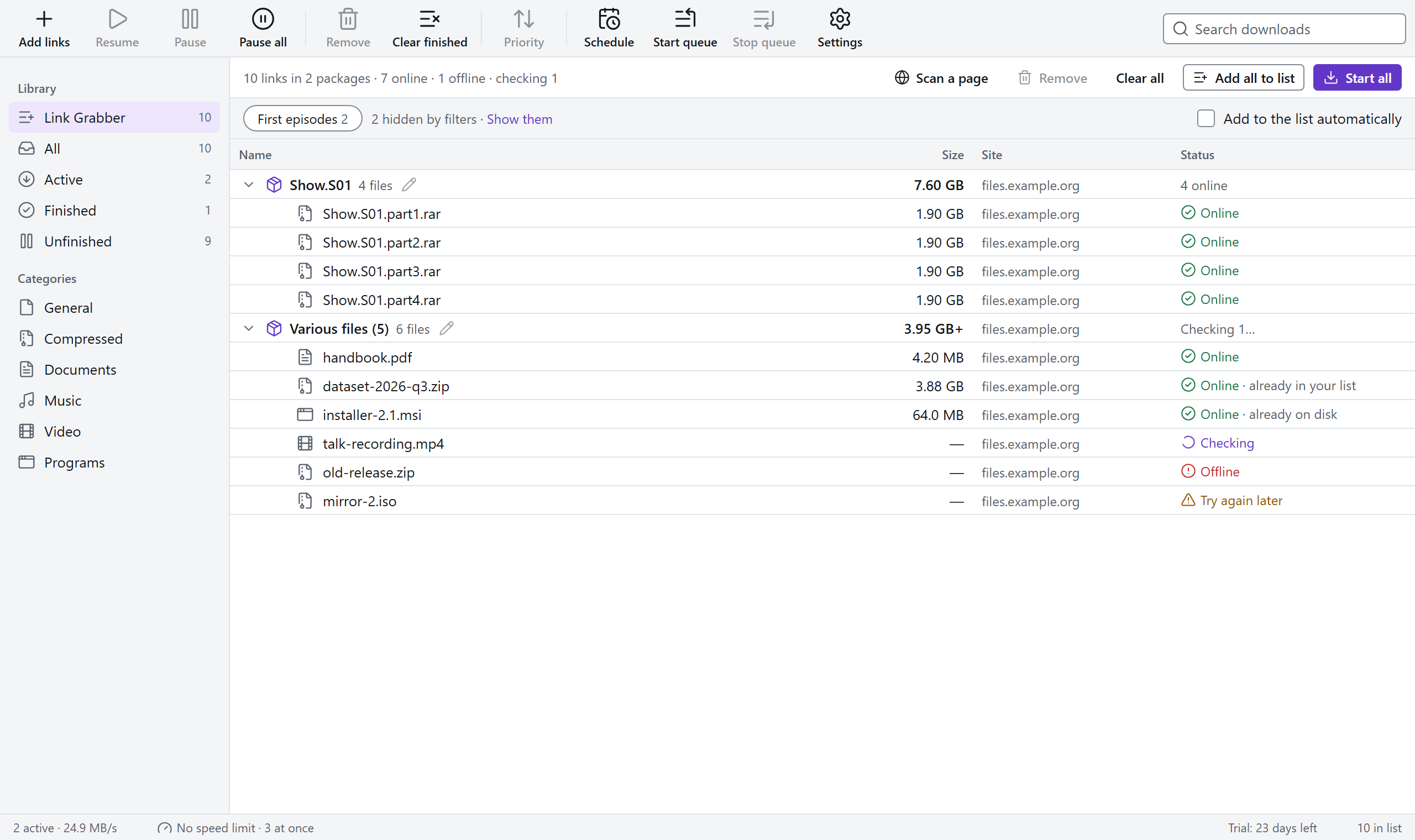
The Link Grabber: pasted links grouped into packages, each checked online, with one marked already on disk.

Archives unpack themselves

zip, 7z, RAR and tar, including sets split into parts. Passwords come from your list; if none works, AIOD asks once and remembers.

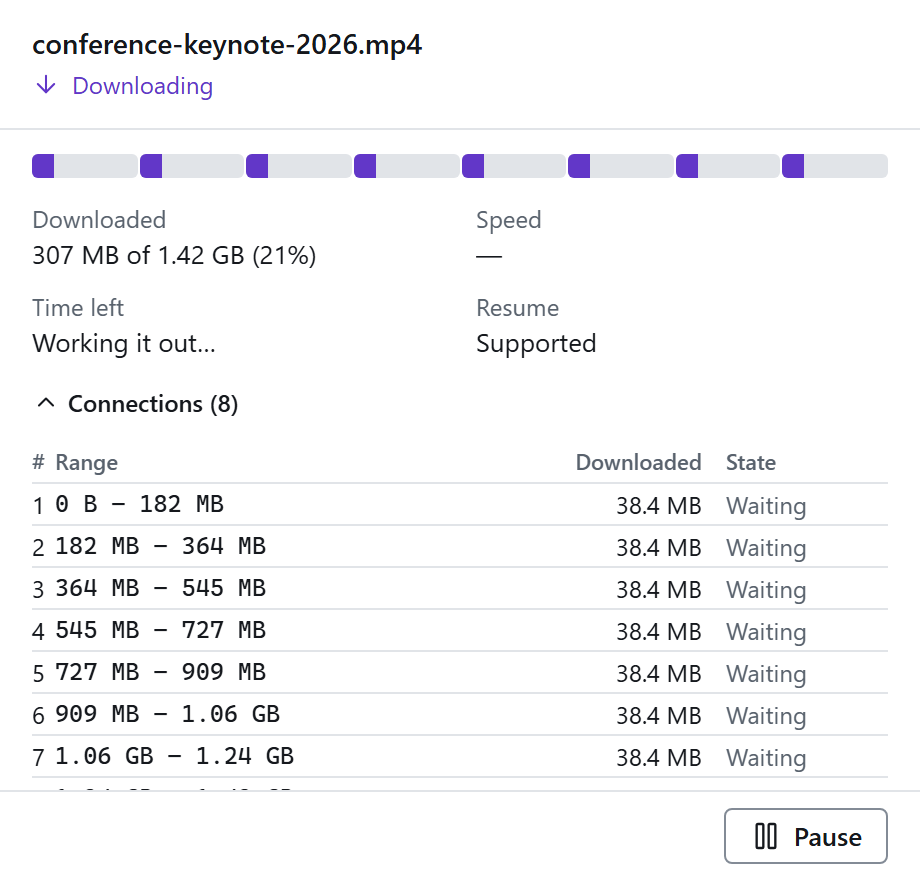
Watch one download in its own small window that stays on top while you work.

A single download in its own window: a progress bar split into eight connections, speed, time left and each connection's range.

Add downloads from your phone

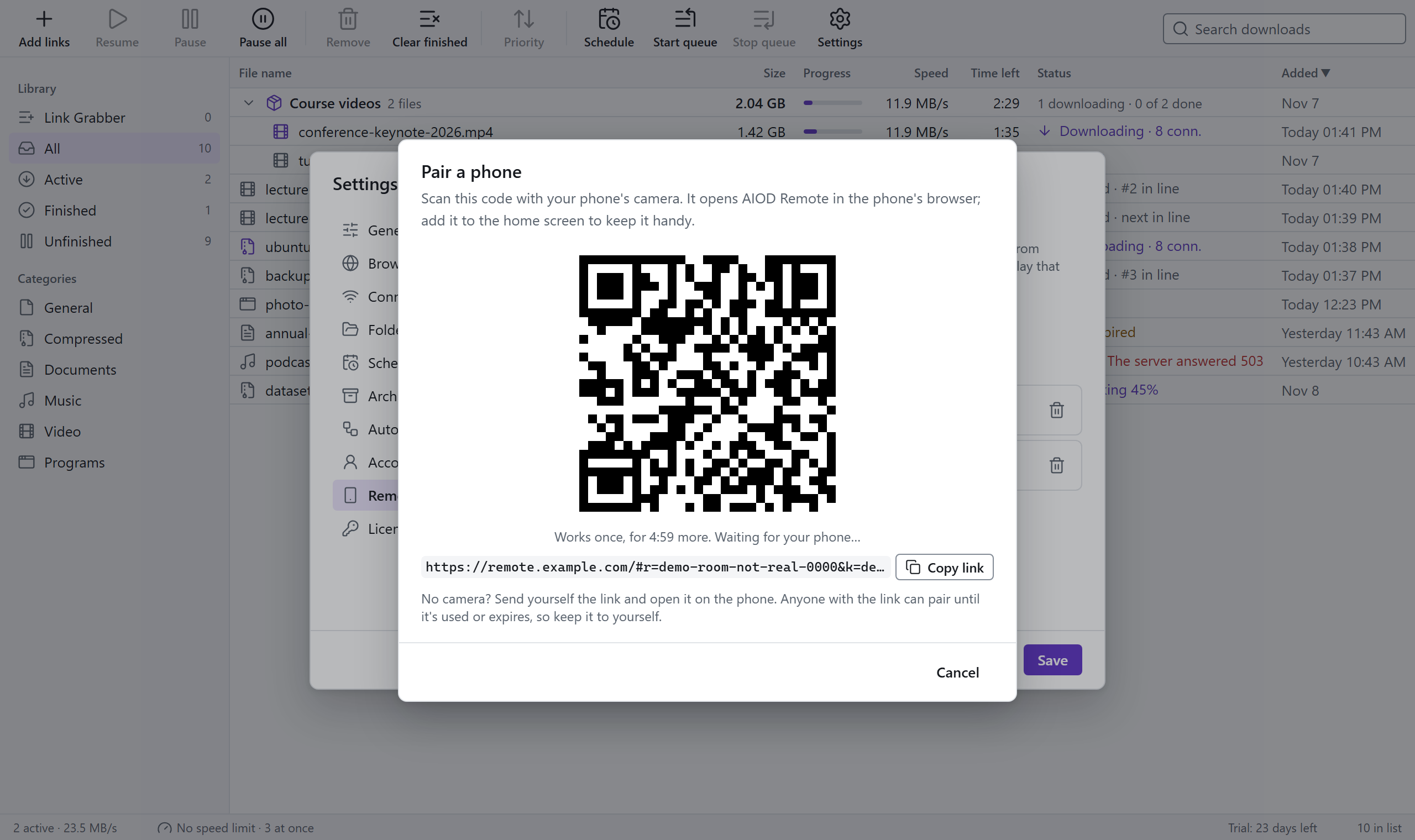
Scan the code, and your phone can add links, watch progress, and pause or resume, from anywhere. It works in the phone's browser: no app store.

The Pair a phone window with a QR code that works once, for five minutes.

Downloads overnight

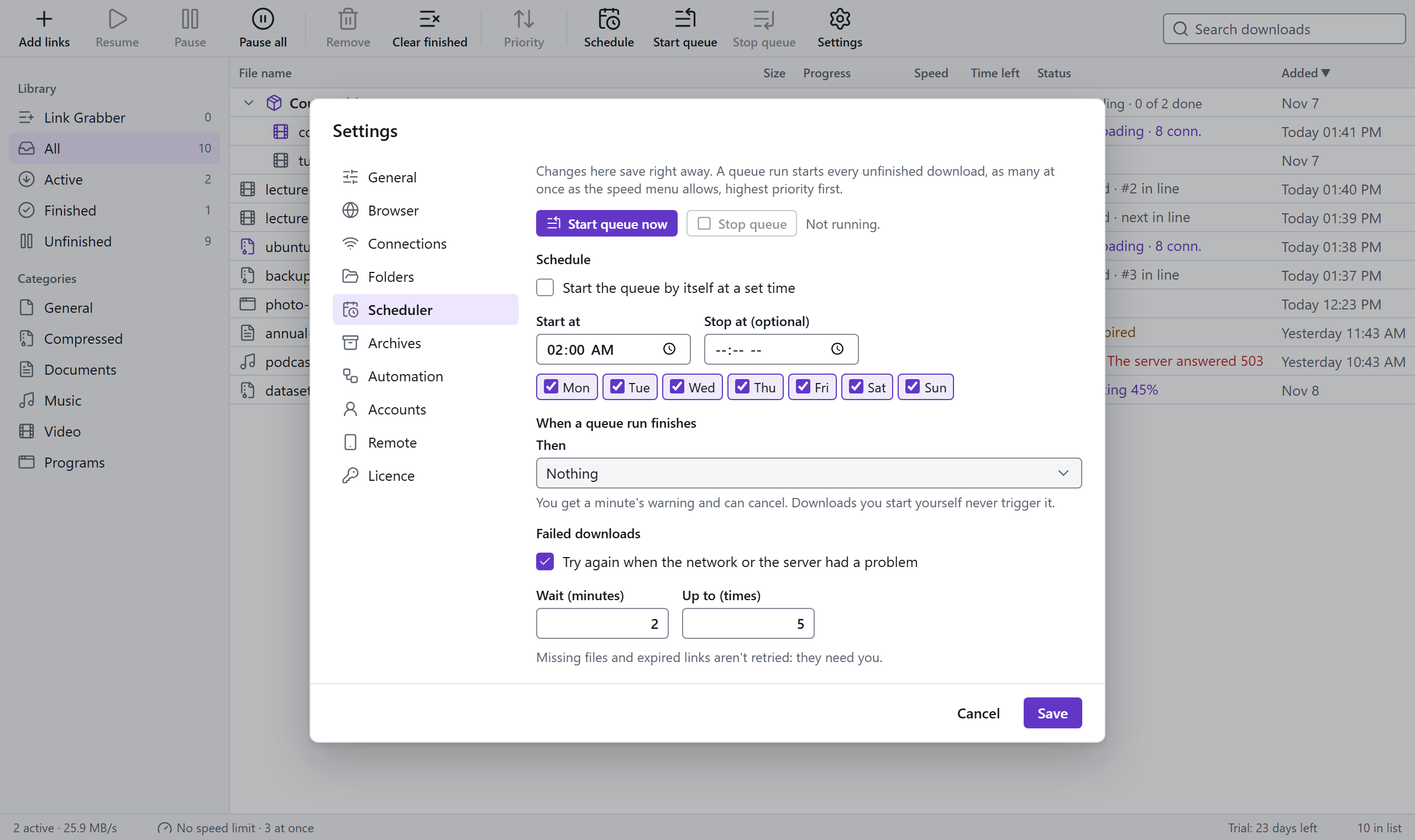
Start the queue at a set time on the days you pick, stop it in the morning, then let the computer sleep or shut down. You get a minute's warning and can cancel.

Downloads that failed on a busy server are tried again by themselves.

The Scheduler settings: start time, weekdays, what to do when the queue finishes, and retries.

And everything you'd expect

  • Up to 32 connections per file
  • Resume after a crash, a restart or a dropped network
  • Catches downloads from the browser with your login
  • Categories with their own folders
  • One speed limit for everything, and how many run at once
  • Priorities and a queue that says why each file waits
  • Proxy: HTTP, HTTPS or SOCKS5, with a login
  • Logins for sites you pay for
  • Rules that pick the folder and package for you
  • Watched folders for link lists
  • Tray icon: keeps downloading with the window closed
  • Signed updates, with release notes
  • Light and dark, keyboard friendly

Pricing

Try everything for 30 days. Pay once, or monthly or yearly if you'd rather.

Trial

For trying it out

Free 30 days

No account, no card

  • Everything included
  • 1 computer
  • Downloads in your list still finish after the trial
Download

Personal

For one computer

£6 once

or £4 a year, or £1 a month

  • 1 computer
  • All 1.x updates
  • Move it to a new computer anytime
Buy Personal

Household

Best value: your desktop, laptop and one more

£10 once


  • 3 computers
  • All 1.x updates
  • Move it to a new computer anytime
Buy Household

Prices in British pounds; tax added where it applies. 30-day refund, no questions. Monthly and yearly plans cancel in one click, and we email you a week before a yearly plan renews.

Questions

Is anything bundled or tracked?

No. AIOD talks to the internet for your downloads and link checks, a licence check once a week, an update check once a day (you can turn it off), and the phone relay only if you turn remote control on. There's no analytics in the app.

Which browsers does it work with?

Chrome, Edge and Brave. Firefox support is being tested.

Is there a Mac or Linux version?

Windows today. The macOS and Linux versions are being tested and will follow; one licence will cover all three.

Can it download from YouTube or streaming sites?

No. AIOD downloads files that sites offer for download. It doesn't download from YouTube and never gets around copy protection.

What about file hosts and premium accounts?

AIOD uses your own logins, and can take them straight from your browser with one click. It doesn't solve captchas or get around download limits.

What happens after the trial?

Downloads already in your list still finish. Adding new ones needs a licence.

Can I bring my links from another download manager?

Paste or drop any text, and AIOD finds the links in it. It can also watch a folder for link lists.

Can I get a refund?

Yes, within 30 days, no questions.

Try AIOD free for 30 days.

No account needed. Nothing else gets installed.

Download for Windows